Title: E&H Electromagnetic Flowmeter Debugging Menu
Introduction:
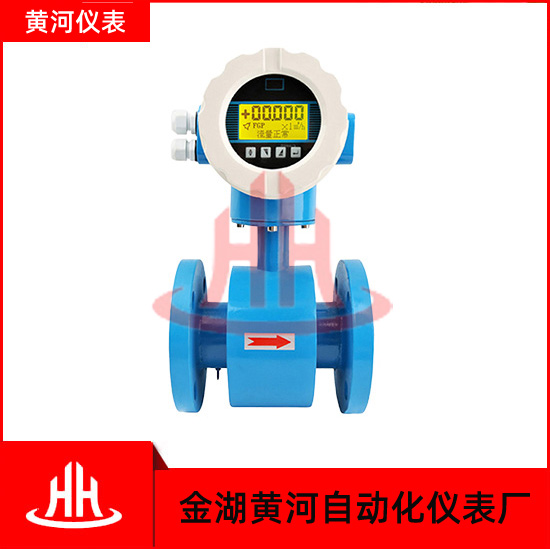
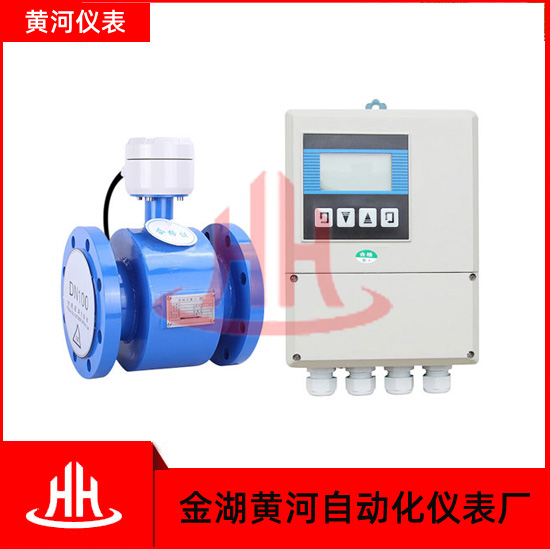
E&H (Endress+Hauser) electromagnetic flowmeters are widely used in various industries for measuring the flow of conductive liquids. To ensure accurate readings, it is essential to properly calibrate and configure the flowmeter. This article will provide a detailed overview of the debugging menu for E&H electromagnetic flowmeters.
1. Accessing the Debugging Menu:
To access the debugging menu on an E&H electromagnetic flowmeter, follow the steps below:
a. Press the MENU button on the flowmeter's keypad.
b. Navigate to the SETTINGS option and press ENTER.
c. Scroll down to DEBUGGING and press ENTER again.
2. Debugging Menu Options:
Once you have accessed the debugging menu, you will find several options that can assist in troubleshooting and fine-tuning the flowmeter's performance. Below are some key options:
a. Sensor Diagnosis:
This option provides a comprehensive analysis of the sensor's condition. It includes a self-check function that tests the coil integrity, electrode connections, and ground connections. Sensor Diagnosis helps identify any potential issues that may affect the flowmeter's accuracy.
b. Flow Simulation:
Flow Simulation allows users to simulate a flow rate for calibration purposes. By entering a known value, the simulation feature verifies the flowmeter's accuracy against the set value. This option is useful when a flow source is not available for calibration purposes.
c. Zero Calibration:
This option allows for zero calibration of the flowmeter. It is used in scenarios where there is no flow or when a reference zero point must be established. Zero Calibration ensures accurate measurements even in the absence of flow.
d. Calibration Verification:
With this option, users can verify the flowmeter's calibration against a known reference value. Calibration Verification ensures that the flowmeter is accurately calibrated, providing reliable measurements.
e. Output Diagnostics:
Output Diagnostics assist in troubleshooting potential issues with the flowmeter's output signals. It provides detailed information about the flowmeter's outputs, such as the pulse output frequency, status, and current loop diagnostics.
f. Configuration Backup:
The Configuration Backup option allows users to save the current flowmeter configuration settings onto a separate storage device. This ensures that the configuration data can be restored easily if necessary or transferred to another flowmeter for duplication.
3. Safety Considerations:
While accessing the debugging menu, it is crucial to consider the following safety precautions:
a. Only authorized personnel should have access to the debugging menu.
b. Ensure that the flowmeter is properly isolated from the process and any electrical sources before performing any calibration or configuration changes.
c. Follow the manufacturer's instructions and guidelines during the debugging process to prevent any potential hazards.
Conclusion:
The debugging menu on E&H electromagnetic flowmeters provides valuable tools for troubleshooting, calibrating, and configuring the device. By utilizing the various options available in the debugging menu, users can ensure accurate and reliable flow measurements. Remember to follow safety precautions and refer to the manufacturer's documentation for specific instructions related to your E&H electromagnetic flowmeter.